

Taking practicals online for first year students
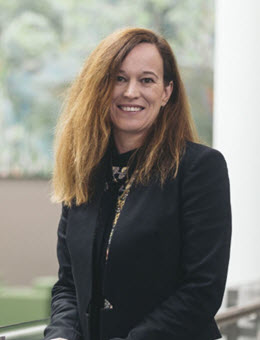
Dr Johanna Turnbull | Science, Medicine and Health (SMAH)
The process of quickly moving practical content online began with employing a flipped model, detailed video and visual resources, and clear communication. This is a work in progress, so other strategies may be employed in future.
Hi everyone, I'm Dr Joanna Turnbull and I've just survived a session teaching two large first year biology subjects, moving all our practicals online.
So my hot tips are to have really good instructions and try and put all of your information in one place and all of your resources in one place. And what we really tried to do with our practicals was have a real variety of resources for the students to engage with. So we had we had our wonderful technical staff taking photographs and making videos in the lab and we also found 3D models on the Internet or for example, animal skeletons, so that students could do different things in the practicals.
I think we tried to put everything online and I think it's much better to simplify because it takes the students quite a bit longer to get through the resources, so not everything has to go on there. You can really have a really good look at what is the essential content. And good luck for Spring session.
The move to online learning was challenging in biology, particularly the complete transformation of the face to face practical content. In the lab, we use technical equipment, perform manipulative experiments, and use real specimens for dissection or observation. It was a challenge to convert this ‘hands on’ material into something palatable for students in the online setting. With so little time to do this, simple strategies were used to make quick changes that may be able to be expanded upon later into a more blended approach.
Existing online tutorials covered statistics and experimental design. These are based on a flipped model, and were followed up with synchronous zoom meetings. To keep practicals from becoming teacher-focused descriptions, each practical was divided into content delivered via Moodle books, discussion spaces (assessed) and a Moodle Quiz. Within the Moodle books, H5P activities were used to get students engaged. Student experiments were also recorded where students could use the information in the videos or in images to collect their own data for analysis. These were coupled with a synchronous component, where students met via Zoom to get help with calculations and ask any questions. All changes were communicated using clear and consistent detailed weekly instructions to students, weekly announcements, reinforced by timetables, and a subject manual describing all the assessments and any changes highlighted in red.
For more information about using colour in your Moodle site, please see the 'Best practice for formatting content online' resource provided in the Support Resources section below.
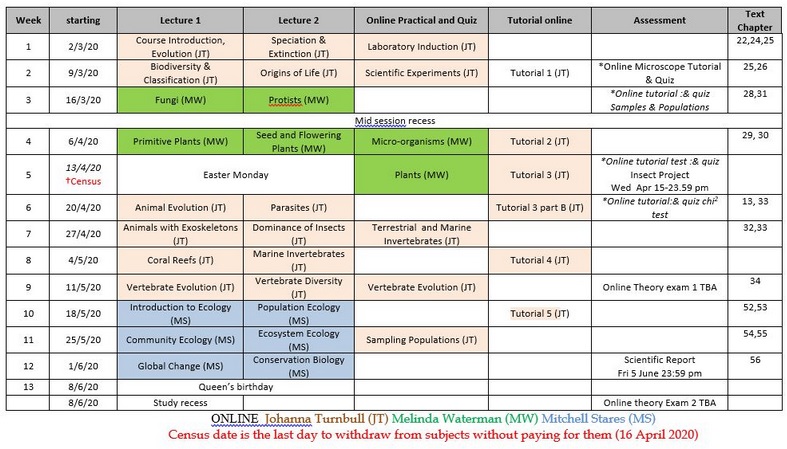
All of this was housed within weekly topics and Moodle books, which kept content well-ordered and easy for students to navigate. Short videos within these books were used to provide students with support on concepts and provide clear instructions as seen in the screenshot below. Having these elements recorded for the first time allowed students to re-watch as many times as needed, contributing to increased student outcomes.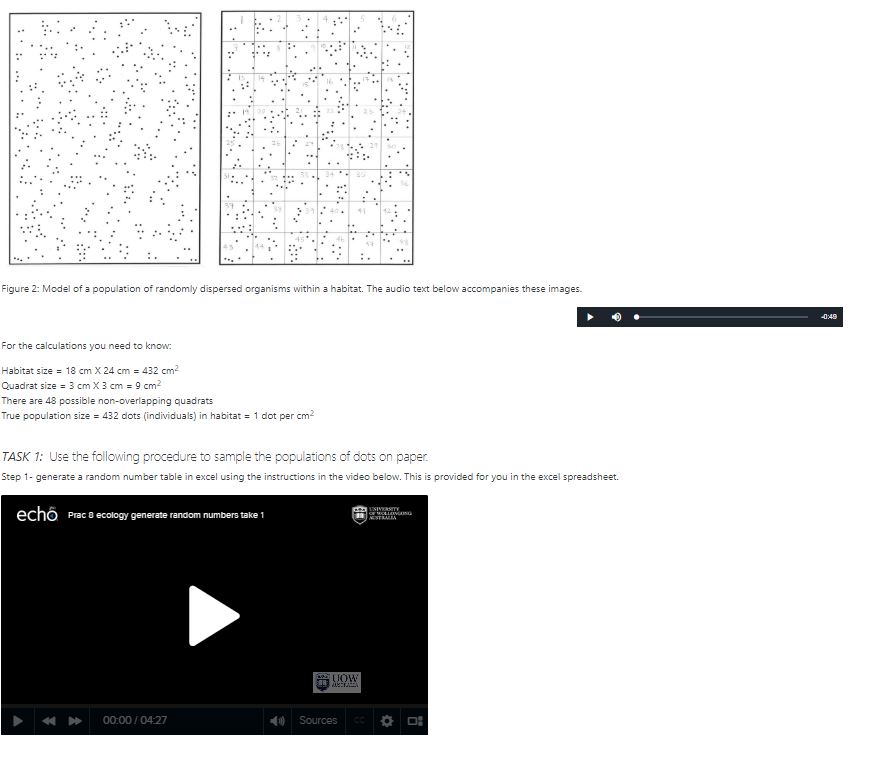
How?
Technical staff helped photograph and film any relevant practical material and the development of the Moodle quizzes. Searching on Google for interesting resources was also important (e.g., 3D printing resources to replicate a practical experience). These kinds of ideas and resources were shared at fortnightly School teaching meetings and amongst teaching team members.
Reflection
Don't try to move everything online, as the students take longer to complete online activities and become overwhelmed more easily. This also helps your risk of burnout. It's also important to reflect each week on what's working and not working in the subject; it's important to improve as you go, and checking in with students can help you do that.
You should have a sense of humour when developing video resources showing teaching staff. Keeping them light and informal is more engaging. These videos are especially important to support students' navigation around the Moodle site. Most of the students' questions were about not being able to find what they needed on Moodle, rather than content!
Support resources
- Possible Online Activities | Preparing to Teach Online
- Plan Your Online Tutorial Activities | Preparing to Teach Online
- Best practice for formatting content online | L&T Hub resource